
CloudBudget for Nonprofits
Plan across programs, funds, and departments.
Bring budget owners into the planning process while finance maintains a consolidated view of funding, costs and changing expectations.
Use the dimensions that explain your organization.
Define budget lines by the agreed combination of program, fund, grant, department, location and account. The model should reflect how finance reviews the budget and how budget owners are responsible for their part of it.
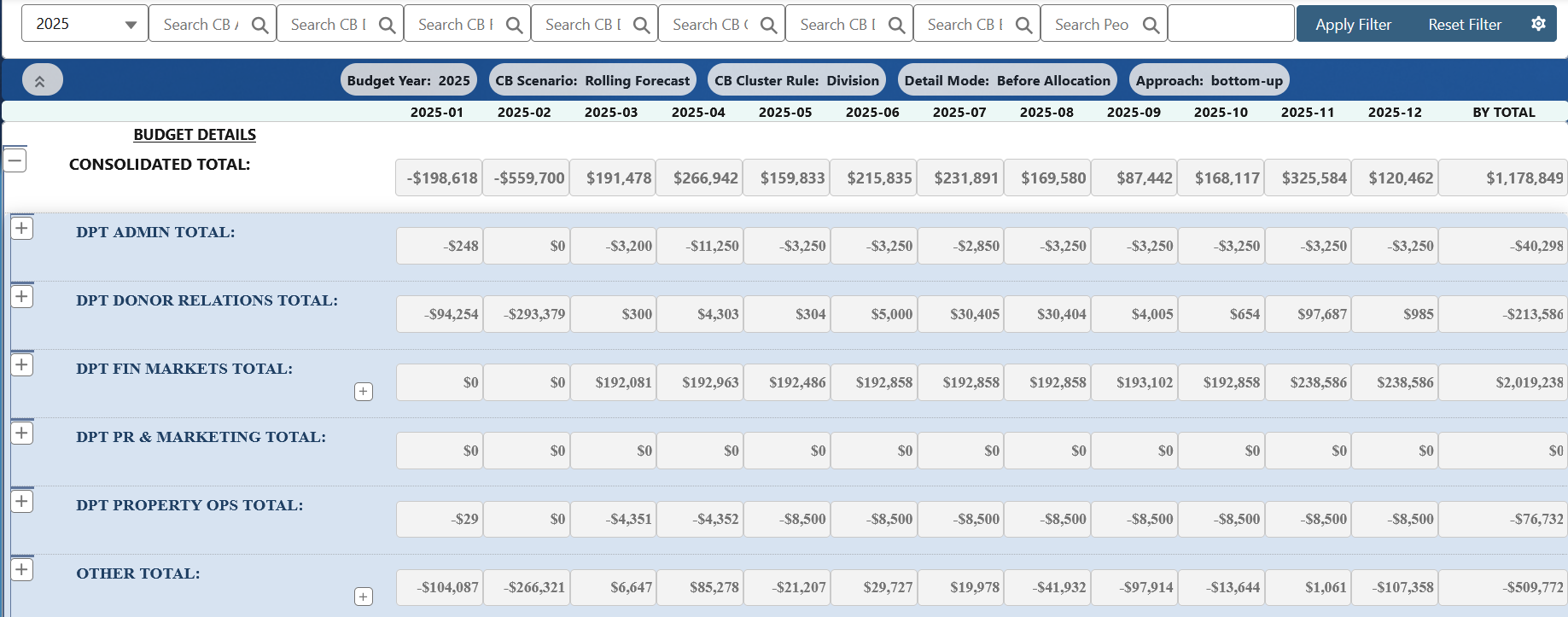
Use filtered Budget Manager views for detailed planning, then review department and consolidated totals together. The screen shown illustrates department rollups; the dimensions and groupings for your organization are configured during implementation.
Give program and department managers a defined role.
Budget owners contribute revenue and expense assumptions within their assigned planning area. Finance defines the submission and review process, including which roles can prepare, approve and revise the budget.
Keep the approved budget as the baseline while forecast versions reflect changes in expected funding, activity or costs. This lets reviewers discuss the latest outlook without losing the reference point used when the budget was approved.
Allocate workforce and shared costs to the work they support.
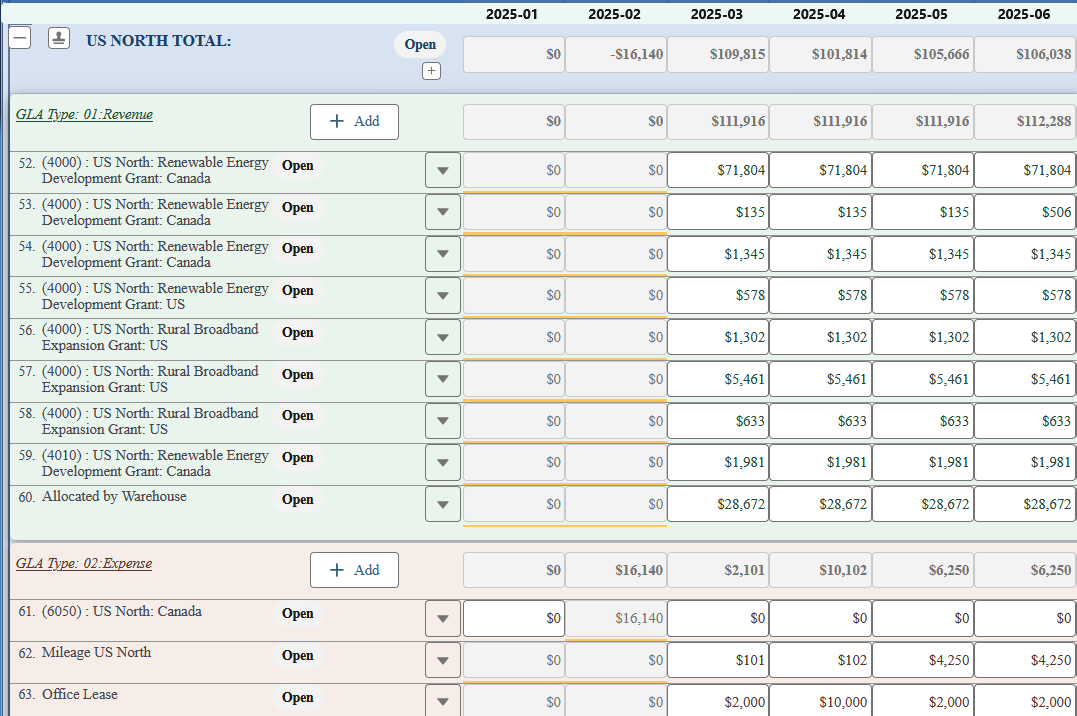
Plan employee and position costs with salary and benefit assumptions, then allocate them across the departments or programs that carry those costs. Payroll Forecast is included in CloudBudget for Nonprofits.
Define the allocation basis for shared non-payroll costs as well. Agree source pools, receiving dimensions, periods and exception handling, and reconcile the results to finance-approved examples before using them in the budget.
Review the financial picture by fund, program or department.
Configure CB Reports to compare budget and accounting actuals, with the groupings, period columns and subtotals needed by finance and leadership. Maintain consistent mapping so totals can be reconciled to the agreed accounting source.
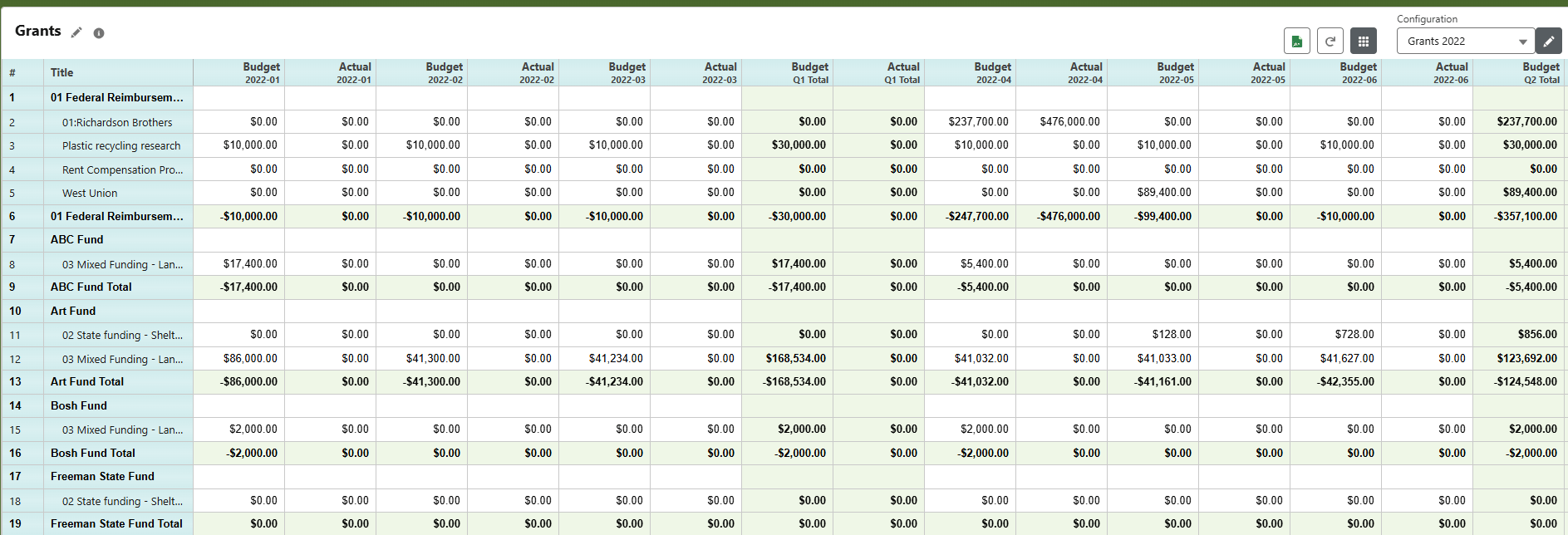
The report shown groups monthly budget and actual values by grant and fund. Define those groupings, period comparisons and report exports during scoping, then validate them against the reports your finance team needs for its review cycle.
Your next step
Bring your program and funding structure to the conversation.
Share the dimensions, budget-owner responsibilities and sample reports that matter to your finance team.