
 Solutions for Accounting Seed
Extend Accounting Seed from accounting into planning.
Use accounting actuals and master data to inform budget entry, forecasts and budget-versus-actual reporting in CloudBudget.
An accounting-to-planning workflow
- Accounting Seed
Accounting accounts, variables, periods and actuals remain the source.
- Agreed mapping
Define source objects, field mappings and refresh cadence.
- CloudBudget
Prepare budgets and forecasts using the mapped planning structure.
- Financial review
Compare plans with reconciled actuals in configured reports.
Start with the accounting structure finance recognizes.
Map GL accounts, accounting variables and fiscal periods into the CloudBudget planning model. Budget lines can then use a structure that relates to the accounting data reviewers rely on, rather than a disconnected set of spreadsheet categories.
During scoping, decide whether aggregated Financial Cubes or more detailed accounting transactions are the appropriate actuals source. The choice affects reporting detail, reconciliation and data processing.
Add a budget-owner workflow around accounting data.
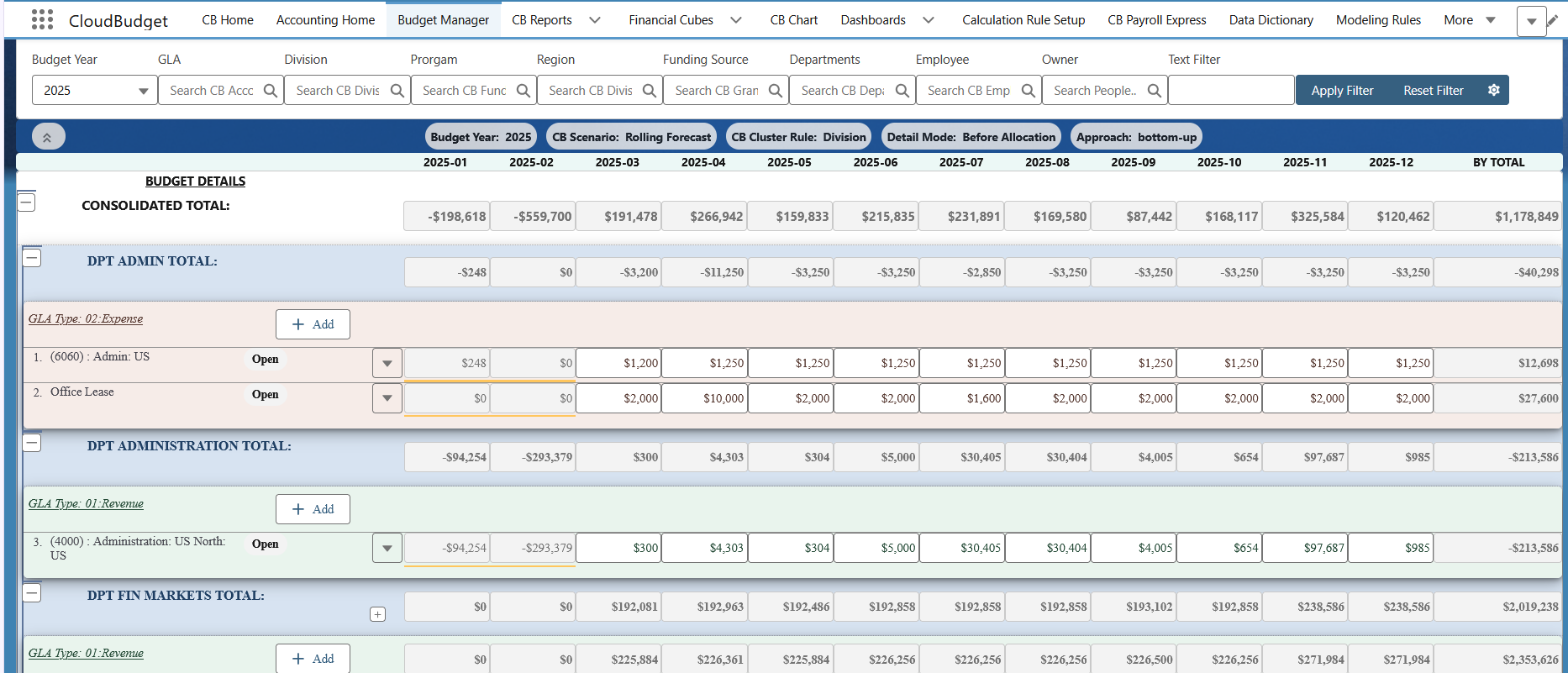
Budget owners prepare monthly revenue and expense plans in Budget Manager. Finance uses working, approved and forecast versions to manage review and changing expectations while retaining a clear baseline for comparison.
Configure approvals, visibility and budget-entry responsibilities around the organization. Payroll Forecast can connect employee and position assumptions to the same financial plan; it is included in CloudBudget for Accounting Seed.
Reconcile the actuals behind each comparison.
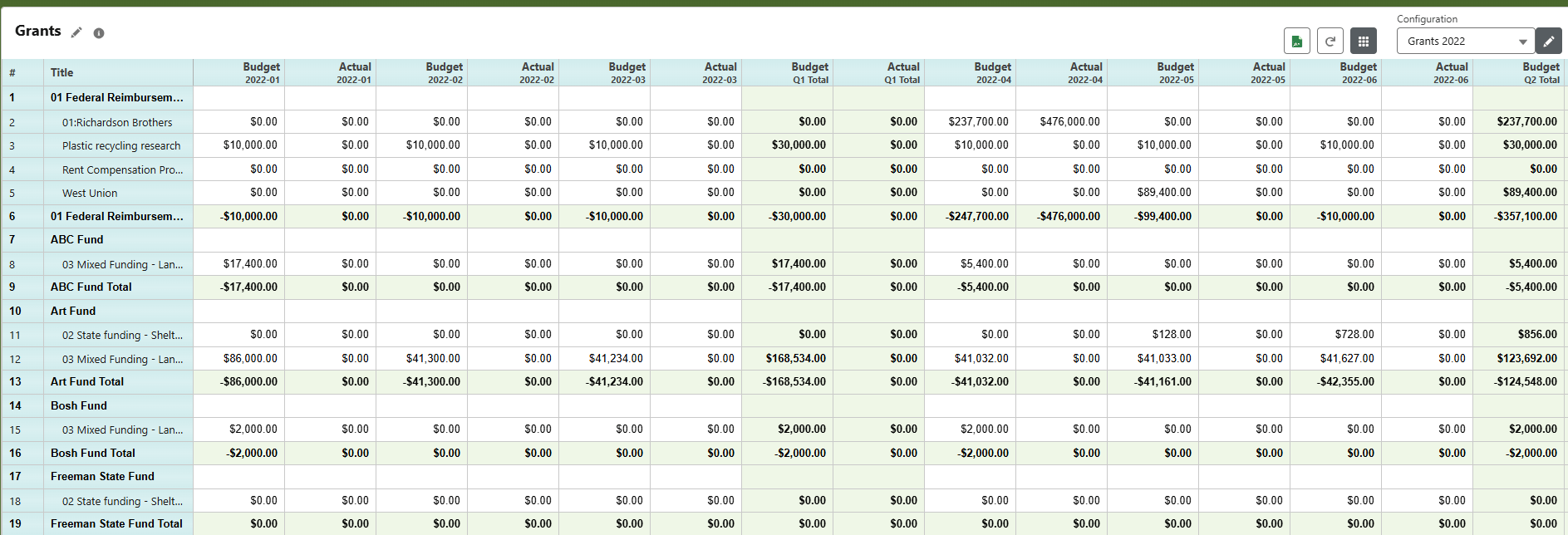
Build reports with budget, actual, forecast and variance columns, using agreed account groupings and planning dimensions. Monthly and quarterly comparisons give finance a consistent basis for reviewing performance.
Reconcile imported or mapped actuals to Accounting Seed before relying on them in reports. Configure the required drill-down and exports according to the source detail available. This CloudBudget report example illustrates a comparison grouped by grant.
Agree the data flow and its boundaries.
CloudBudget complements Accounting Seed; it does not replace the accounting system. If the requirement is a simple accounting budget comparison, first establish whether the current accounting workflow is sufficient. CloudBudget adds value when finance needs a broader budget-owner process, scenarios, workforce planning and configured reporting.
Define source-to-planning mappings, refresh timing, reconciliation ownership and permissions during implementation. Any requirement to send planned budgets back to Accounting Seed must be assessed and explicitly scoped; it is not a universal write-back capability.
Your next step
Discuss the path from your accounting data to your plan.
Tell us which Accounting Seed data, budget dimensions and reports your finance team needs to bring together.