
Product update
Budget Allocation in CloudBudget
Allocate shared costs and budget amounts across projects, departments and other planning categories using configured rules.
Shared costs and budget amounts often need to be distributed across projects, departments or programs. CloudBudget supports allocation rules that make these distributions part of the planning model.
Where allocations help
- Project planning: distribute budget amounts across projects and initiatives.
- Cost planning: allocate shared expenses to the departments or programs that use them.
- Financial analysis: review how distributions affect each part of the budget.
An illustrative marketing budget
A $100,000 marketing budget could be allocated as follows:
- 50% — $50,000 to digital advertising.
- 30% — $30,000 to offline events.
- 20% — $20,000 to public relations.
This is an illustrative planning example, not a customer result.
Shared operating expenses
Rent, salaries and equipment costs may need to be spread across departments. Configured formulas and allocation rules help teams apply the distribution consistently within the planning model.
Sales and incentive planning
Allocation rules can also distribute planned incentives or bonuses by region or department.
From rules to budget review
Define the source amounts, target categories and allocation percentages or calculation rules. Apply the distribution, review the resulting budget and reconcile the totals.
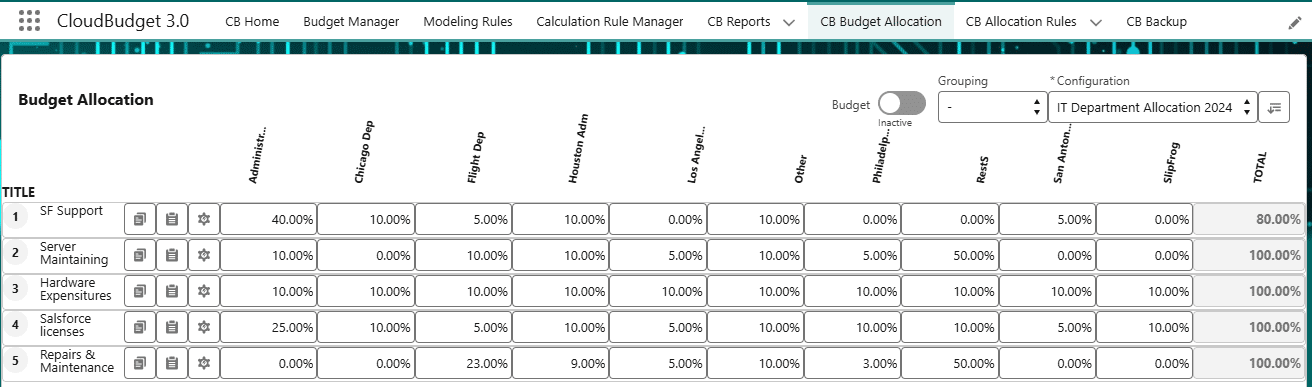
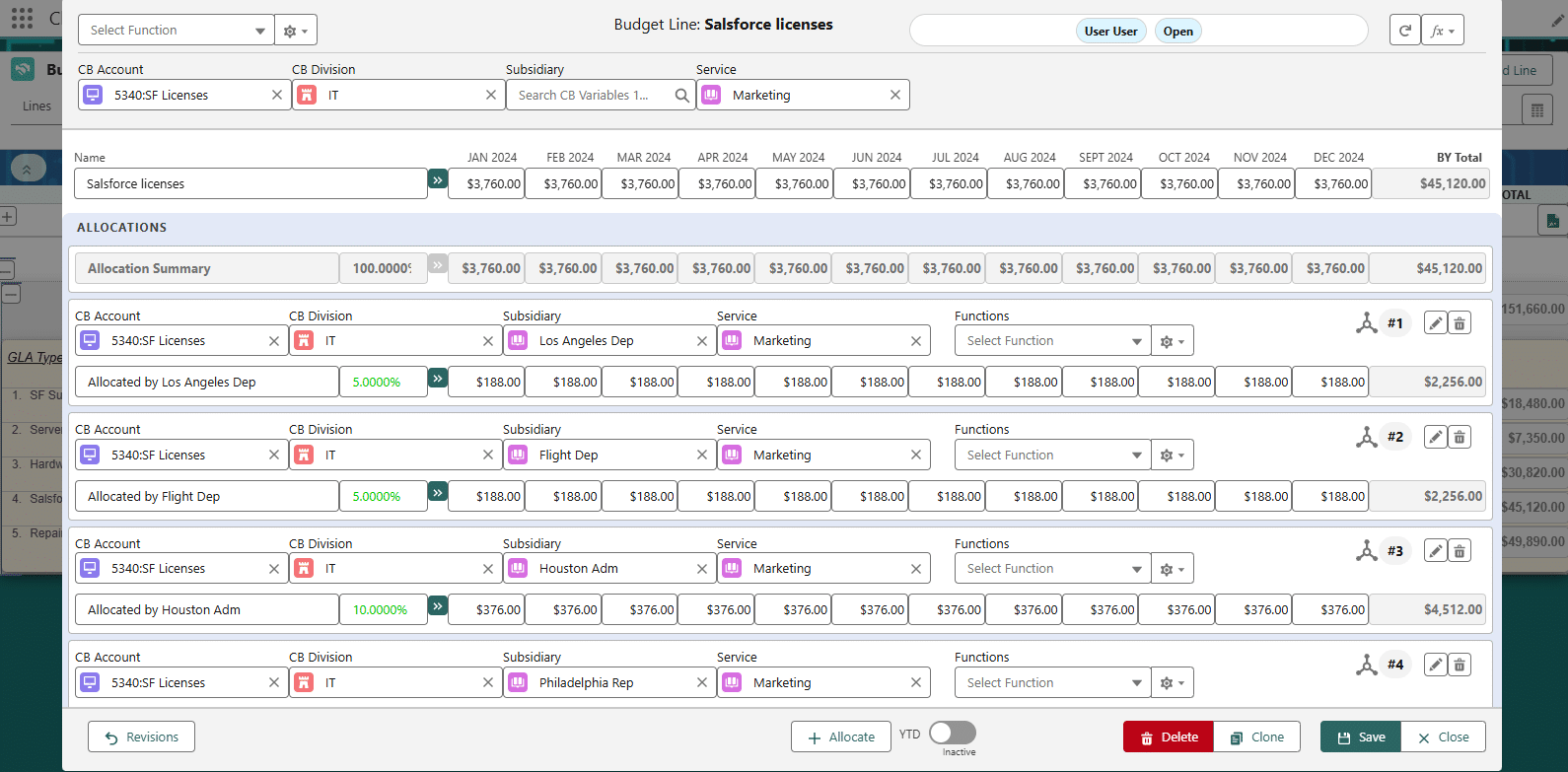
The supplied product screenshots below illustrate Budget Allocation in CloudBudget.
See Budget Allocation in a live demo
Request a demonstration with Q&A to discuss your allocation rules, planning categories and reporting needs.